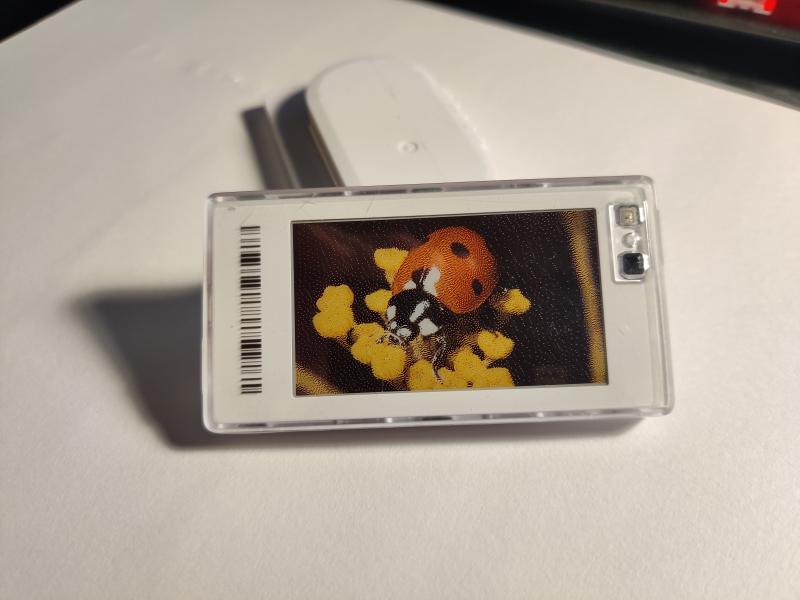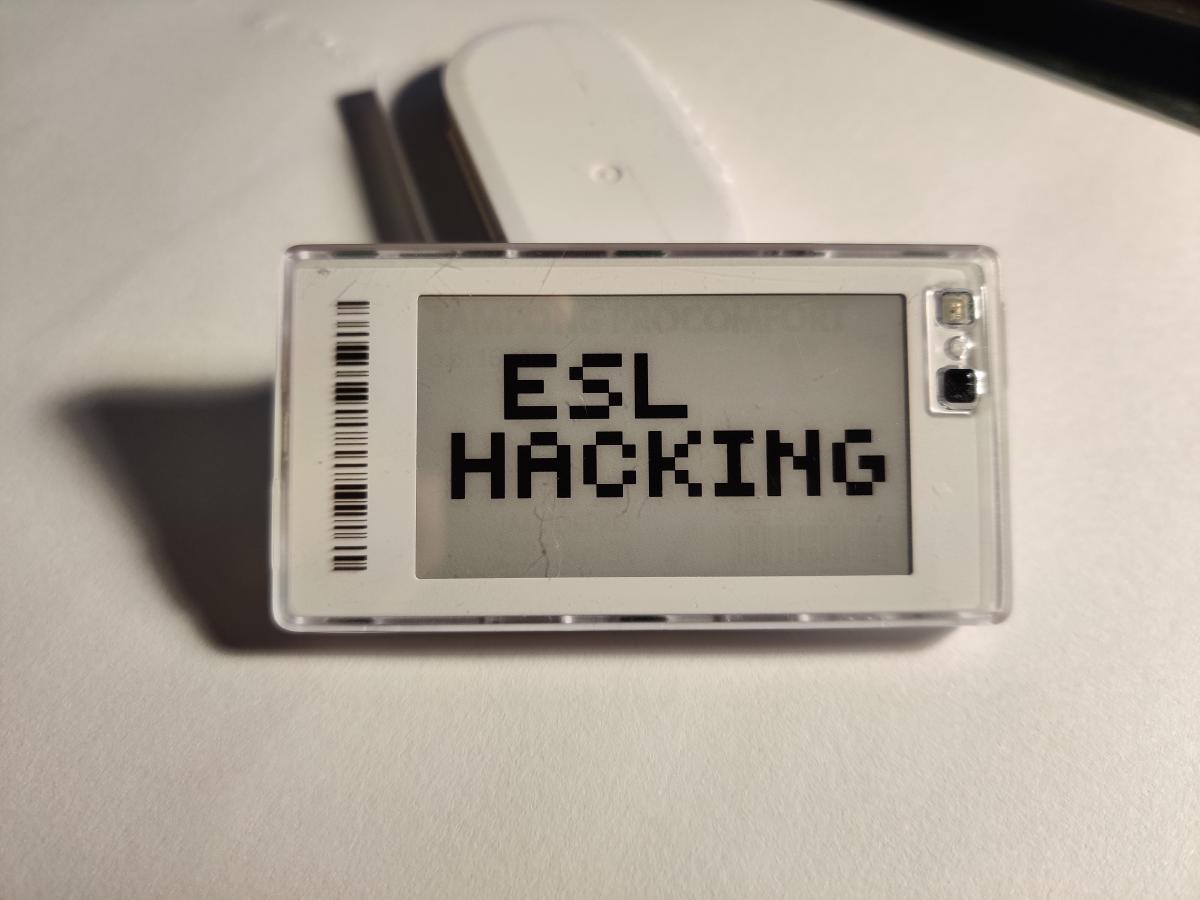
Around this time last year I got curious about how electronic shelf labels (ESLs) work. They are mainly used to display the name, information and price of items in physical stores. You can easily change any of this by simply updating the e-ink display and with most of them you do not have to be in their proximity to do so. I got my hands on two from the manufacturer Pricer with the goal of getting it to display any image of my choosing.
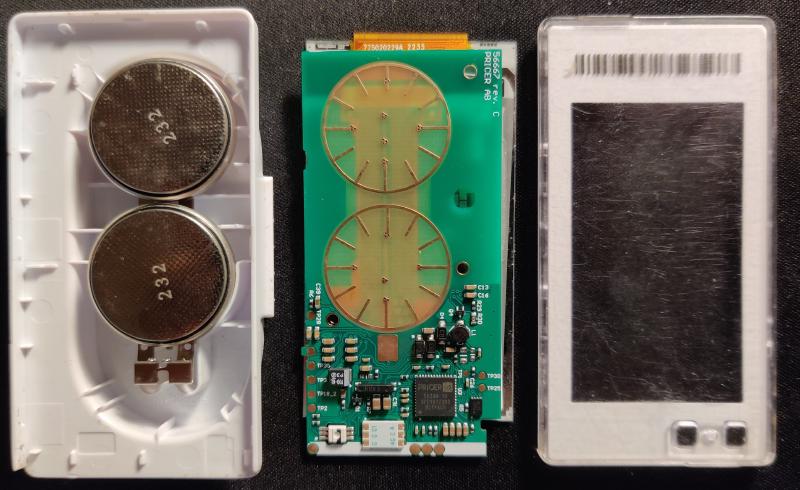
Out of curiosity I took it apart to have a look at the chip inside. It turned out to be proprietary, and worse it has no non-volatile memory. Once you pull the batteries, the firmware is gone and the display is stuck showing whatever was on it last. While this probably shaves something off the manufacturing cost, it’s hard not to suspect it’s also a greedy way to sell more units. A store can’t just replace the batteries when they run out, they would have to have to order new brand new ESLs or ship the old ones to have the firmware flashed again. What a waste of resources.
Despite the proprietary chip I was very lucky, because previous research by furrtek made the process of reversing the image update protocol way easier than anticipated. Most of the information about these ESLs in this post is taken from that page, but with more focus specifically on updating the displayed image. It didn’t quite take me all the way for my specific ESL however, so I successfully extended their work.
Image update protocol#
The data is sent in bytes from first to last. It is encoded in the delays between bursts of infrared light, which are read by the ESL’s front facing IR receiver and decoded. You can use furretek’s PrecIR python tools to send arbitrary data encoded correctly to communicate with the ESL using their ESL Blaster hardware.
The image update command takes the form of a series of frames; first a parameter frame describing the image data, then a series of frames of image data, and lastly an end-of-data frame. Together these frames form a block. The parameter frame is structured as follows (values in hexadecimal):
85 [ID] 34 00 00 00 05 [LENGTH] 00 [MODE] [PAGE] [WIDTH] [HEIGHT] [XPOS] [YPOS] [KEY] 88 00 00 00 00 00 00 [CRC16]
Then comes the image data frames:
85 [ID] 34 00 00 00 20 [INDEX] [DATA] [CRC16]
And lastly the end-of-data frame with 22 zero bytes as payload:
85 [ID] 34 00 00 00 01 [PAYLOAD] [CRC16]
Here, ID is the ESL identifier you can read from its front facing barcode,
MODE is one of two image data compression modes, PAGE is the page to update
(each ESL usually has several such pages to store images in and you select what
page the display should show), and CRC16 is a 16 bit integrity checksum of the
frame.
For the models with a monochrome e-ink display (only black and white pixels) the
DATA sent is simply the image pixel data where 0 means black and 1 means
white. The first pixel is drawn at (XPOS, YPOS), draws a full row until
WIDTH is hit before moving to the next. If the image does not fit entirely on
the display it will not be updated at all.
The KEY is a 16 bit key specific to the store. Only the correct one will allow
the display to be updated. Luckily, my ESLs key was 0.
3- and 4-color displays#
A 3-color display, typically black, white and red, have to extend the image update protocol to handle the extra color. This is done by sending an extra image block, where a 0 in the second block overrules whatever was sent in the first block, and makes the pixel red instead. A 1 in the second block means that the pixel should instead be black or white as per the first block. The table below shows this color encoding.
| First block | |||
| 1 | 0 | ||
| Second block | 1 | ||
| 0 | |||
The ESL I got my hands on had a 4-color display, something that furrtek had not covered. They simply mention that “Newer 4-color ESLs may use two blocks as real bitplanes, but this is not confirmed”. Well, I can now confirm that this is the case. The color encoding is shown below.
| First block | |||
| 1 | 0 | ||
| Second block | 1 | ||
| 0 | |||
Why bother?#
Honestly, because it’s fun. I feel like these things end up in landfills when stores upgrade, and a wireless e-ink display that runs on a coin cell has plenty of life left in it. You could use it as a desk nameplate, a slow-cycling picture frame, a status display for whatever you want, or do like me and make a custom fridge magnet. But mostly it’s just satisfying to take something that was designed to show you a price, and make it show whatever you want instead.